
Chiropractic Adjustment Instruments Comparison: The PulStar Difference
PulStar provides the most trusted visualized analysis and instrument adjustment system for practitioners seeking flexible, innovative advantages and elevated patient experiences.
Chiropractor Adjustment Tools Comparison
Available chiropractor adjustment systems are NOT created equally
| PulStar | ProAdjuster Sigma |
MyoVision ScanVision |
Neuromechanical Innovations Impulse |
Activator Activator V |
IMPAC Inc Arthrostim |
|
|---|---|---|---|---|---|---|
| Instrument Adjustors / Visual Analysis | Both | Both | Visual Analysis Only | Adjustor Only | Adjustor Only | Adjustor Only |
| Provides measurement of adjustment response | ✓ | ✓ | ✓ | ✓ | X | X |
| Full Spine Display | ✓ | X | X | N/A | N/A | N/A |
| Easy to Understand Measurement Display | ✓ | X | ✓ | N/A | N/A | N/A |
| Sound Level less than 65 dB | ✓ | X | ✓ | N/A | X | X |
| Includes Networkable - Cross Platform Database | ✓ | X | X | N/A | N/A | N/A |
| Displays Last Visit Patient Analysis | ✓ | X | X | N/A | N/A | N/A |
| Low, Controllable Preload and Analysis Settings | ✓ | X | N/A | X | X | X |
| Demonstrated Peer Reviewed Examiner Repeatability | ✓ | ✓ | ✓ | N/A | N/A | N/A |
| Graphic and Analytical Pre and Post Analysis | ✓ | ✓ | ✓ | N/A | N/A | N/A |
| 3 Modes of Multiple Impulse Therapy (Myofascial, Osseous, Point) | ✓ | X | N/A | X | X | X |
| Up to 90 Impulses per Second | ✓ | X | N/A | X | X | X |
| Prone, Sitting and Standing Positions | ✓ | X | N/A | X | X | X |
| Extend Your Career | ✓ | ✓ | N/A | X | X | X |
| Control From the Impulse Head | ✓ | X | N/A | ✓ | ✓ | ✓ |
| Pre-set Force Settings for Each Vertebra | ✓ | X | N/A | X | X | X |
| Customized, programmed force settings at the patient level | ✓ | X | N/A | X | X | X |
| Advanced Protocols | ✓ | ✓ | N/A | X | X | X |
| Adjusting in Motion | ✓ | ✓ | N/A | X | X | X |
| Portable System | ✓ | X | N/A | ✓ | ✓ | ✓ |
| Speech enabled | ✓ | X | ✓ | X | X | X |
| Marketing Program | ✓ | ✓ | ✓ | ✓ | X | X |
| Printable Patient Report | ✓ | X | ✓ | N/A | N/A | N/A |
| iPad companion program for front desk | ✓ | X | X | N/A | X | X |
The PulStar Advantage
Cutting-Edge Features Fitting for Every Clinic


Full Spine Display for Enhanced Analysis & Improved Patient Comprehension
PulStar is the only computerized instrument adjustment system that shows you and your patients the full spine displayed on the screen. No switching views, no important vertebra lost in translation–never miss crucial details (or the opportunity to help your patient better understand your analysis).

Unmatched Patient Education Opportunities
Engage your patients with easy-to-understand analysis alongside data-proven progress comparisons from before and after treatment and adjustment. Featuring comprehensive, intuitive graphics designed to offer patients insight, PulStar offers a simple, effective way to communicate pain, treatments, and analytics with patients.

Quiet, Comfortable, Pain-Free
Your patients seek results–but their experience matters, too. The PulStar system was designed with optimal patient experience in mind, that’s why we crafted a quiet, comfortable instrument that’s pain-free. Our 65-decibel PulStar ensures your communication with patients is never strained or interrupted while our flexible and customizable impulse options guarantee pain-free treatment that gleans helpful analytics and provides promising results.

Affordably Invest in Your Practice
Most computer-assisted adjustment instruments on the market can cost as much (if not more) than a new car. At PulStar, our goal is to help Doctors of Chiropractic and patients alike better understand the value of visualization. That’s why we’ve made the effort to ensure we provide packages and options that fit into almost any practice’s unique budget.

A Comprehensive System for All Tissue
Provide your patients with holistic care with PulStar’s uniquely designed system created to cater to both skeletal and soft tissues. Invest in a system that offers complete care in a single tool. Enhance your patients’ experiences with a comprehensive system that provides dual treatment, reduces the need for movement during treatment and procedures, lowers costs, and increases visit efficiency all at once.

All-Inclusive Lifetime Maintenance Programs
At PulStar, we know your choice to invest in visualization is just that–an investment. That’s why we’re dedicated to helping you protect that investment for longevity and years to come. We proudly offer our customers all-inclusive options for lifetime maintenance programs to help ensure the health and wellness of your innovative system.
Find out more about how PulStar can change your practice and extend your career today
We can customize any of our systems. Just reach out to find more.
Perfecting Patient Care,
Enhancing Patient Experience:
How PulStar Benefits Your Practice
It's no secret we're not the only computer-assisted adjustment system on the market. But like most tools, not every adjustment system is created equally

Improved Analysis Results
- Immediate Measurement of Adjustment Response
- Full Visual Display of Spine
- Comprehensive and Intuitive Measurement Displays
- Networkable Cross-Platform Database
- Instant Recall of Patient's Previous Visit and Analysis
- Graphic and Analytical Pre and Post Analysis Readings

Superior Patient Experience
- Quiet, Featuring a Sound Level of 65 dB
- Comfortable, Pain-Free Processes
- Adjustable Force Settings for Vertebra & Specific Patients' Needs
- Preloaded Analysis Settings

Unmatched Features to Meet the Needs of All Patients
- Multiple Modes of Impulse Therapy (Constant Frequency, Auto Mode, and Sweep)
- Offering Prone, Sitting, and Standing Positions
- Comprehensive Control from the Impulse Head
- Customizable Settings for Vertebra and Patients' Unique Needs
- Advanced Protocols
- Ability to Adjust In Motion

Elevated Credibility & Improved Reliability
- Demonstrated, Peer-Reviewed Examiner Repeatability
- First Computer-Assisted Instrument Included in the Palmer College's Techniques Curriculum
- Marketing Programs Integrated and Available

Unmatched Ease and Simplicity
- Speech-enabled capabilites
- Front-Desk Compatibility Programs
- Portable, Flexible Systems
- Customizable Settings for Vertebra and Patients' Unique Needs
- Pre-programmed & Customizable Force Settings for Each Vertebra
- Comprehensive Control from the Impulse Head
- Immediate Recall of Patient's Most Recent Visit and Analysis
- Integrated & Networkable Cross-Platform Database
- Easy-to-Understand Measurement Displays

Unrivaled Patient Retention & Referral
- Pain-Free, Comfortable Analysis
- Printable Patient Report
- Easy to Understand Visual Displays
- Full Spine Visuals
- Customizable Treatment Options to Meet Individuals' Needs
Reviews from Real Doctors of Chiropractice
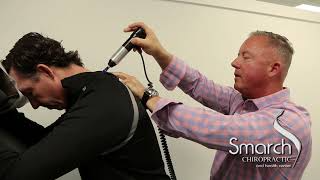
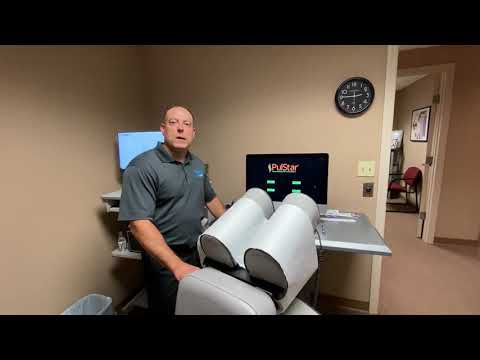
Of course, you don't need to just take our word for it. Hear what other Chiropractors have to say about PulStar and how our systems improved, enhanced, and elevated their practices and patient experiences.


Ready to find out how PulStar can help you?
Ready to Bring Your Clinic to the Next Level? Schedule a One-on-One Live Demo
We’ve spent over three decades developing cutting-edge systems dedicated to improving your practice and enhancing your patients’ experiences. Are you ready to experience elevated and innovative systems that can revolutionize your practice?
Connect with PulStar today to schedule your own one-on-one LIVE demo to see how PulStar can set your practice apart from the rest.
PulStar vs. Other Chiropractic Adjusting Tools

PulStar vs. Extracorporeal Shockwave Therapy (ESWT): Why Buy into ESWT When PulStar Does the Same & More?

PulStar vs. Activator, Impulse, and ArthroStim: Which Chiropractic Instrument Is Best?

Moving from Sigma Instruments to PulStar’s Chiropractic Tools

PulStar Shown More Effective Than Saunders Lumbar Traction in Clinical Study
Chiropractic instrument comparison questions
Compare what each system does, how it fits your workflow and what to examine in a demonstration.
What should I compare when choosing a chiropractic adjusting instrument?
Compare the instrument’s adjusting function, analysis capabilities, force controls, patient display, portability and service options. Check the exact model and configuration because features can vary within a product line. A feature comparison helps organize your evaluation, while a demonstration shows how the system fits your workflow.
What is the difference between an adjusting instrument and an analysis system?
An adjusting instrument delivers a mechanical impulse or series of impulses. An analysis system collects and presents measurements. Some products combine both functions, while others focus on one. PulStar combines multiple impulse adjusting with computer-assisted analysis and an on-screen display for reviewing the instrument’s readings.
Which features does PulStar bring together in one system?
PulStar combines spinal analysis, multiple impulse adjusting, a full-spine display and patient-visit information. It also offers osseous, myofascial and point modes, with different system configurations and accessories. Review the current product options and ask to see the features relevant to your practice during a free live demo.
How can PulStar’s display support patient communication?
PulStar displays analysis information in a visual format that the practitioner can discuss with the patient. Before-and-after readings and previous-visit information provide reference points for that conversation. The display helps explain measurements; the practitioner should relate those readings to the patient’s symptoms, function and examination.
Does a longer feature list prove better clinical results?
No. Features describe what a system offers; they do not establish that it produces better outcomes for every patient or condition. Compare clinical research separately from equipment specifications. Read each study for its patient group, methods, comparison treatment and measured outcomes before applying its findings more broadly.
What should I include in a PulStar cost comparison?
Compare the complete configuration you need, including the computer or display, accessories, training and available service or maintenance options. PulStar offers multiple configurations and customization. Request a quote for your proposed setup so that you can compare what is included and which options carry additional costs.
Can I see PulStar before deciding which instrument to buy?
Yes. Book a free live demo to see PulStar in use and ask questions about its analysis, adjusting modes and available configurations. You can also watch the on-demand demo first. Bring your feature checklist so the discussion addresses the needs of your practice.